
Setting Up Your First Bookkeeping System
Don’t know where to start? We’ll walk you through choosing tools and organizing your financial records from day one.
Why Getting Started Matters
Setting up a bookkeeping system might sound intimidating, but here’s the truth: it’s not about being perfect. It’s about creating a system that actually works for you. Whether you’re running a small business, freelancing, or managing personal finances, having organized records makes everything easier.
The good news? You don’t need fancy software or an accounting degree. You need clarity, consistency, and a system you’ll actually use. Most people discover this after months of scattered receipts and confused spreadsheets. Don’t be that person. Start right, and you’ll save yourself hours of headache later.

Your Five-Step Setup Process
Follow these steps in order. Each one builds on the last, so don’t skip ahead.
Choose Your Method: Digital or Paper
You’ve got two main paths. Digital tools like spreadsheets or accounting software offer automation and easier tracking. Paper ledgers work if you prefer tangible records, though they’re slower for larger volumes. Most people starting out go digital because it’s more flexible. Pick one and commit to it for at least three months before switching.
If you’re leaning digital, free options like Google Sheets or Wave are legitimate starting points. They won’t do everything, but they’ll do enough while you’re learning.
Set Up Your Chart of Accounts
A chart of accounts is just a list of categories for your money. You’ll have income accounts (money coming in), expense accounts (money going out), asset accounts (what you own), and liability accounts (what you owe). Don’t overthink this part. Start with broad categories: maybe 8-12 total.
Common income categories: service revenue, product sales, consulting fees. Common expenses: supplies, rent, utilities, transportation. Add categories as you discover gaps, not before.
Create a Recording System
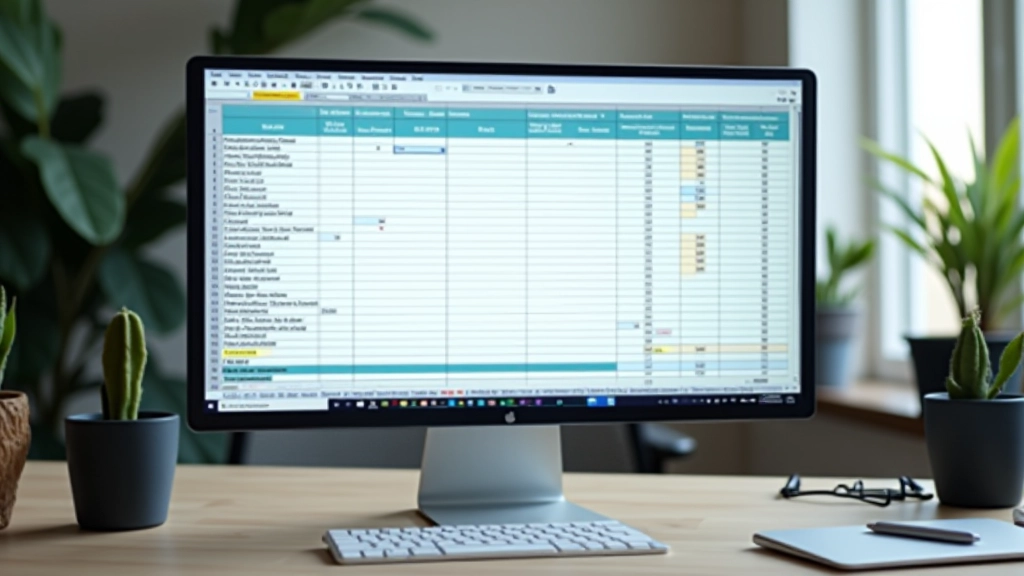
This is where you actually log transactions. Whether it’s a spreadsheet or software, your system needs three columns at minimum: date, description, and amount. Add a category column too. Update it weekly, not monthly. Weekly updates take 15 minutes. Monthly updates take an hour because you’ve forgotten details.
Build the habit early. Tuesday mornings work for many people. Set a calendar reminder.
Organize Your Source Documents
Your receipts, invoices, and bank statements are proof that transactions happened. You’ll need them if you’re audited or for tax purposes. Create folders—digital or physical—organized by month or category. Keep everything for at least three years. Yes, that’s the actual requirement.
Pro tip: Photograph or scan receipts as you get them. A shoebox of paper gets lost too easily.
Schedule Monthly Reviews
Once a month, spend 30 minutes looking at your records. Do the numbers make sense? Are there categories with nothing in them? Are you forgetting whole areas of spending? Monthly reviews catch problems early before they compound.
You’re not looking for perfection. You’re looking for patterns and problems.
Tools That Actually Work
You don’t need expensive software. You need something you’ll use consistently. Here’s what works for different situations:
Google Sheets or Excel
Free or cheap, accessible anywhere, familiar. Works great for simple tracking. You’re not limited by templates.
Wave
Completely free accounting software. Handles invoicing, expense tracking, and basic reporting. Honestly solid for freelancers and small businesses.
Xero or QuickBooks Online
Paid options with more features. Worth it if you’ve outgrown the free tools. Both integrate with banks for automatic transaction importing.
Physical Ledger
Yes, this still works. Some people prefer the tactile experience. Just photograph pages regularly for backup.
The best tool is the one you’ll actually use. Don’t buy expensive software if a spreadsheet fits your needs. You can always upgrade later.
Common Mistakes (and How to Avoid Them)
Waiting to Organize Until Tax Time
This is the biggest one. People let records pile up for 11 months, then panic in November. You’ll forget details, lose receipts, and create stress. Weekly updates prevent this entirely. Fifteen minutes a week beats eight hours in December.


Creating Categories That Are Too Detailed
People want 30 expense categories on day one. This creates decision paralysis every time you record a transaction. Start with 8-12 broad categories. You can split them later if you actually need to. Simplicity wins over comprehensiveness in the beginning.
Not Backing Up Your Records
If your computer crashes and you’ve got a year of transactions only on your hard drive, you’re in trouble. Use cloud storage (Google Drive, Dropbox) or backup software. Losing financial records is painful and sometimes expensive.

Quick Tips for Success
These habits make bookkeeping easier from the start:
Pick a Day
Tuesday mornings, Friday afternoons—whatever works. Having a specific day makes it a routine, not a task you dread.
Photograph Receipts Immediately
Don’t wait. Take a photo on your phone right after a purchase. Store them in a folder organized by month.
Link Your Bank Account
Most tools let you connect your bank. Transactions import automatically. This cuts your work in half.
Add Notes to Big Transactions
When you spend $500 on supplies, add a note: “Q1 inventory stock.” Six months later you’ll know exactly what it was.
Reconcile Monthly
Match your records against your bank statement. Catch errors early. Takes 20 minutes and saves major headaches.
Keep Everything Three Years
This is standard. The IRS can audit back three years in most cases. Store physical documents safely.
You’ve Got This
Setting up bookkeeping isn’t complicated. It’s just a system that works for you. Start simple, stick with it, and you’ll build something sustainable. Most people who struggle with bookkeeping didn’t fail because it’s hard—they failed because they tried to be perfect instead of being consistent.
Pick your tools this week. Set up your chart of accounts. Create your first entry. That’s it. You’re not building Rome in a day. You’re building a foundation that’ll support you for years.
The hardest part is starting. Everything after that gets easier because you’ll actually understand your financial situation instead of wondering about it.



Educational Information
This article provides general educational information about bookkeeping fundamentals. It’s not professional accounting, tax, or legal advice. Circumstances vary significantly based on your location, business structure, and situation. For specific guidance on your financial records or tax obligations, consult with a qualified accountant or financial professional in your area. Malaysia has specific regulatory requirements—ensure your bookkeeping system complies with local standards.